

Esdra · POS
At the counter,
your whole business.
The register is the starting point. Esdra hardware and software connect every sale to products, customers, operators and everything that happens next.
Let’s design your point of sale Follow a sale ↓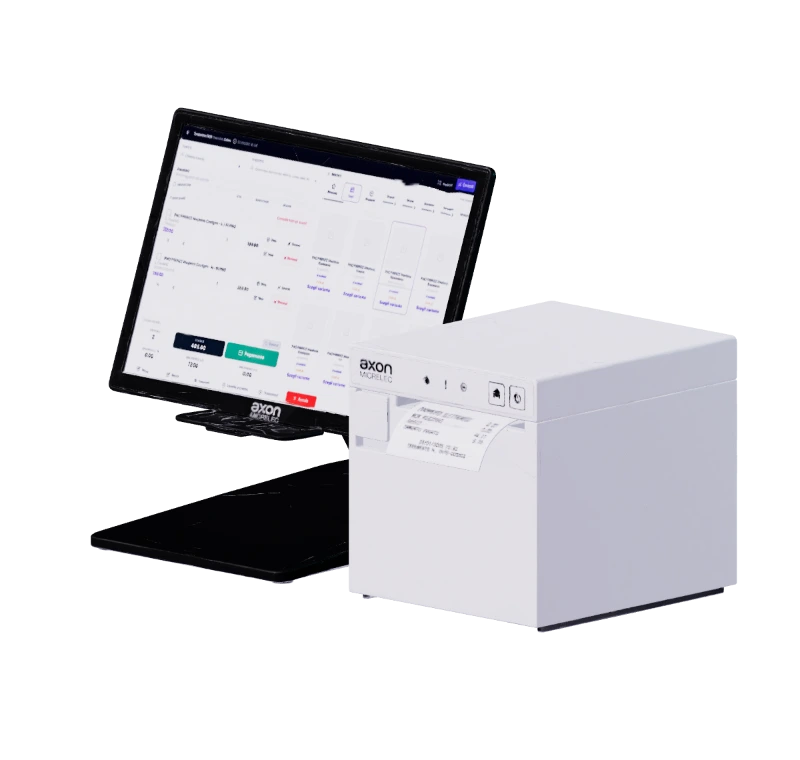
A person in front of you.
More than a sale.
Find the customer, their purchases, credit and useful notes. Preferences, loyalty and consent help you continue the relationship, from the store to other channels.
- Relationship
- In store + online Shared purchase history and preferences
- Customer credit
- € 80,00 Outstanding balance
- Operational notes
- In-store collection Context, before the sale
- Marketing
- Email consent recorded Identity and consent remain separate
- Identify
- Review
- Find the context
The product enters.
The sale takes shape.
A barcode identifies the product, size and colour. Quantities, discounts and codes build the total; payment completes a sale that stays linked to the customer.
- Product
- Sale
- Discount
- Payment
The purchase ends.
The relationship continues.
Points, rewards, discounts and promotions give each visit continuity. Customers keep their history; your team has the tools to invite them back, according to configured rules and recorded consent.
- Rewards and benefits
- Dedicated promotions
- Campaigns respecting consent
- Purchase
- Points
- Balance
- Relationship
One register.
One connected business.
Every store, register and operator has a place in the system. Sales update availability and history, feed Commerce and reports: you know where a sale happened, who handled it and what it changed.
- Inventory
- 22 available 2 items sold · one stock movement
- Commerce
- Aligned availability Connected product, order and customer
- Reports
- € 178,20 Analysis by location, operator and period
- Sale recorded
- Stock
- Channels
- Analysis
The rhythm of your store.
Even when plans change.
From product search to split payments, from returns to suspended sales. POS tools follow your team’s everyday work.
- Product, SKU and barcode search
- Walk-in and registered customers
- Discounts, notes, quotes and suspended sales
- Single and split payments
- Returns, exchanges and customer credits
- Real-time stock updates
- Sales reports by register, staff and period
- Quick categories and favourites
La cassa integrata con i tuoi portali web.
Scopri le integrazioni EsdraExplore the detail.
Esdra POS turns every in-store sale into shared data: product, customer, payment, availability and reporting update together.
Every step prepares the next.
Esdra follows goods from the supplier order through to the final sale. Quantities, movements, customers and channels remain connected, so your team never has to piece work together across spreadsheets, management systems and separate platforms.
Checkout and warehouse become one connected workflow.
The smart checkout guides staff through exceptions and links every receipt to the product, customer and available stock. As soon as the sale is complete, the data is ready for the rest of the business.
The operational context
When checkout, ecommerce and warehouse do not communicate, the store sells without a single view and the supply chain loses valuable stock, customer and replenishment data.
EVA AI assists the operator by suggesting alternatives, checking availability and customer history, and flagging price, stock or discount anomalies before completing the sale.
Functions in your workflow
- Orders and replenishment
- Requirements, seasons, suppliers, expected quantities and deliveries remain clear in one workflow.
- Stock and transfers
- Goods receipts, barcodes, sizes, colours and movements between locations update one central stock figure.
- Sales and payments
- Handle authorised discounts, split payments, returns, exchanges, vouchers and suspended sales without interrupting work.
- Customers and channels
- Customer details, consent, purchases and preferences connect the store, ecommerce and customer relationship.
- Order
- Prepare purchase orders by supplier while checking quantities, costs and expected deliveries.
- Receive
- Receive goods from delivery notes or barcodes and check discrepancies, variants and actual availability.
- Distribute
- Move products between warehouses, stores and channels while keeping one accurate stock figure.
- Sell
- The digital checkout completes the sale and immediately updates stock, customer data, ecommerce and analytics.
- Customer
- Purchases, returns, preferences and consent remain part of the same history, online and in store.
Frequently asked questions
Does Esdra POS include hardware and software?
Esdra combines the hardware with POS software connected to the rest of your business. The register and device configuration is defined around your store’s needs.
How are customers, discounts and loyalty connected?
A sale can be linked to a customer record. Coupons, discounts, points and rewards follow configured rules; credit, history and notes retain their context. Marketing consent remains separate from customer identification.
Can I track multiple stores and operators?
Sales retain their location, register, customer and operator references. Shifts, availability and reports keep operations in the context of your business, according to user permissions.
Esdra · One system
Every sale leaves
something that continues.
Updated availability. A recognised customer. A team working in the same system.
Let’s start with your store Explore plansScenes use example customers, amounts and rules to illustrate the workflow.